

Service business: lead to paid to repeat
One template that runs a service business from the first enquiry to the paid invoice and the next visit
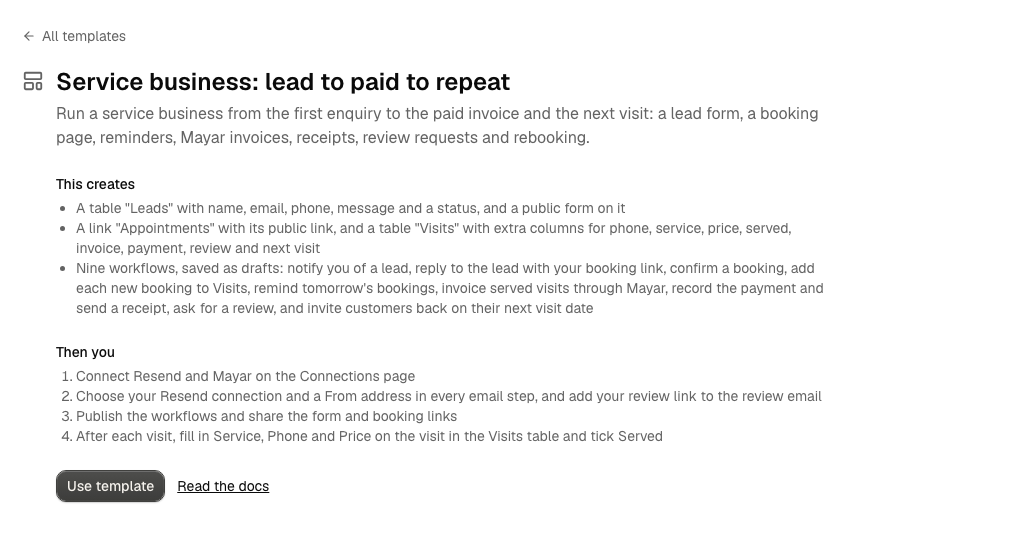
This template sets up the whole loop described in the Service business guide: a lead form, a booking link, reminders, Mayar invoices, receipts, review requests and rebooking. It is for a salon, a clinic, a tutor, a consultant or a repair shop: anyone who books a customer, serves them, and bills them afterwards.
Set it up
- Open Resources → Templates, pick Service business: lead to paid to repeat and click Use template. See Templates.
- Connect Resend and Connect Mayar on the Connections page. Start with a Sandbox Mayar connection and paste its webhook URL into Mayar's dashboard (see Mayar).
- Open each workflow with an email step, choose your Resend connection and a From address on a domain you verified in Resend, then save. In Ask for a review, replace the placeholder with your own review link (for example your Google Maps page). In Invoice served bookings, check that your Mayar connection is chosen.
- Open the link to set your hours and the length of a visit.
- Publish the nine workflows. Try each with Test run first.
- Share the form link and the booking link.
Nothing is published, sent or billed until you publish the workflows.
What happens, step by step
| When | Workflow | What it does |
|---|---|---|
| Someone submits the form | Notify me of a new lead | Emails you the lead's details |
| Someone submits the form | Reply to the lead with the booking link | Emails the lead a link to pick a time |
| A booking is created | Email booker: booking confirmed | Emails the booker, with their cancel and reschedule link. Alur already sends a confirmation with that link, so keep this one off unless you want a second email |
| A booking is created | Add the booking to Visits | Adds a row to the Visits table for the booking |
| Every day at 17:00 | Remind tomorrow's bookings | Reads tomorrow's confirmed bookings with a Scheduling step and emails each booker |
| Every hour, 9:00 to 18:00 | Invoice served bookings | Creates a Mayar invoice for each served visit, saves the payment link on it, marks it Invoiced, and emails the link |
| A payment is received | Record the payment | Marks the visit Paid and emails a receipt |
| Every day at 10:00 | Ask for a review | Emails paid customers your review link, once |
| Every day at 9:00 | Invite them back | Emails customers whose Next visit is today, once |
Schedules run in your browser's time zone.
After each visit
Doing the work and deciding the price stay with you. Open the Visits table and, on the visit:
- fill in Phone (Mayar needs a mobile number on every invoice), Service and Price (whole rupiah),
- tick Served: the next hourly run creates the invoice,
- set Next visit to the date the customer should come back, if you want an invitation.
What it creates
-
A table Leads and a form Contact us on it (the same as Lead capture).
-
A link Appointments, and a table Visits with one row per booking:
Column Type Filled by Name Text Add the booking to Visits Email Email Add the booking to Visits Booked for Date and time Add the booking to Visits Phone Text You Service Text You Price Number You Served Checkbox You Invoiced Checkbox Invoice served bookings Invoice ID Text Invoice served bookings Payment link Text Invoice served bookings Paid Checkbox Record the payment Review sent Checkbox Ask for a review Next visit Date You Rebook sent Checkbox Invite them back -
The nine draft workflows above.
If you already applied Lead capture, this template makes its own copies (named like Leads (2)) and leaves yours alone. It does not include the content calendar; add the Social media scheduling template for that.
Good to know
- Payments are matched by email. Record the payment marks every unpaid, invoiced visit with the paying customer's email as paid. That is reliable when a customer has one unpaid invoice at a time. See matching a payment to its visit.
- Invoices go out within the hour after you tick Served, not at the moment you tick it.
- One run handles up to 100 visits (a Find returns at most 100 rows and a For each repeats at most 100 items).
- Create invoice is never retried. If an invoice step fails, check Mayar's dashboard before running again. See Mayar payments.
- Every email counts against your Resend plan, and every invoice is a real Mayar invoice. Use a Sandbox connection until the runs look right.